CRM and invoicing software that pass the work on
A CRM that does not know about your quotes and an invoicing tool that does not know about your leads means typing everything twice. CRMlead and InvoiceLead are two separate apps linked by one free account. The quote starts from the lead, the accepted quote closes the deal, and the amount in your pipeline follows what the client actually signed.
No credit card. Every app except CashLead has its free plan, with no time limit.
How CRMlead and InvoiceLead work together
The two apps stay separate, each focused on its job. What links them is your Lead account, as soon as both are used by the same company.
- From a lead in CRMlead, one button creates the quote in InvoiceLead.
- When the quote is accepted, the lead is marked as won in CRMlead, with the document attached.
- The amount and currency of the deal follow the last accepted quote.
- The won deal arrives as a project in ProjectLead, and hours logged there become lines of a draft invoice in InvoiceLead.
- No API key, no connector: the link comes from your Lead account.
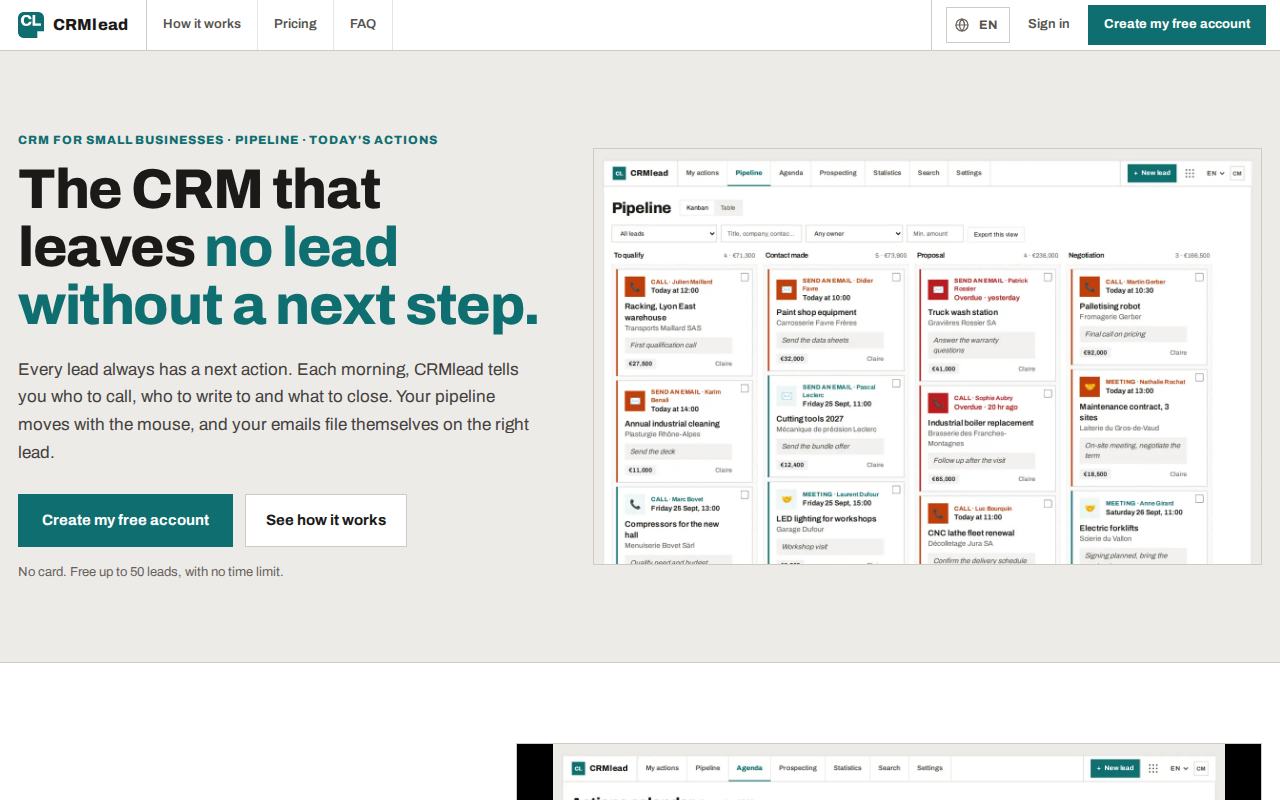
The CRM side
A next action on every lead
Call, write or meet, always with a date. “My actions for today” lists what is late, due today and due this week.
Pipeline and emails
A kanban pipeline moved with the mouse, and Gmail or Microsoft 365 emails filed on the right lead.
Leads coming in
Your website form feeds the CRM. Import from Excel or CSV, with exports from noCRM.io, Pipedrive and HubSpot recognized.
Calls, meetings, AI
A call queue, booking pages where the client picks a slot, statistics, and an AI that reads the exchange and proposes the next step.
The invoicing side
Quotes and invoices
Following each country's rules, QR invoices in Switzerland included, in five languages.
Automatic reminders
Three reminder levels, with fees and late interest.
Receipts read by AI
Receipts and supplier invoices read from a photo.
Books and payments
Double-entry bookkeeping ready for your accountant, payments matched with the bank statement.
Both apps start free
| App | Free plan | With Pro |
|---|---|---|
| CRMlead | Up to 50 leads, no time limit, no credit card | Unlimited leads and every feature |
| InvoiceLead | 5 invoices and 10 receipt scans per month, no time limit | VAT returns, multi-currency, access for your accountant |
| Lead account | Free, opens both apps | Nothing to pay |
AI where it saves time
In CRMlead, the AI reads the exchange with a lead and proposes the next step, so no lead is left without a follow-up. In InvoiceLead, the AI reads receipts and supplier invoices from a photo, so you do not type them in.
Both apps also have a built-in AI Assistant that stays within their job, limited on the free plan. In your Lead account, the AI Assistant reads your profile, your organization, your plan in each app and your subscriptions (read only), and opens the right screen. It prepares account changes on one “To confirm” card, and a single click on “Confirm” applies them. Nothing is written without that click.
Frequently asked questions
Do I have to use both apps?
No. Each works on its own. You can start with CRMlead or InvoiceLead and add the other later; the link turns on with the same account.
Is this suitable for freelancers?
Yes. Both free plans work for one person, and InvoiceLead is built for freelancers and small businesses in Switzerland, Germany, France, the United Kingdom and the United States.
Can I bring my existing CRM data?
Yes. CRMlead imports Excel and CSV files and recognizes exports from noCRM.io, Pipedrive and HubSpot.
How are the paid plans priced?
Per app. CRMlead and InvoiceLead each offer Pro at €19 per month or €190 per year, and Pro+ at €39 per month or €390 per year, up to 5 people.
What happens to the deal value when the quote changes?
The amount and currency of the deal in CRMlead follow the last accepted quote in InvoiceLead. Your pipeline shows what the client actually signed, not an early estimate.
Can my team work in both apps?
Yes. You invite colleagues from your Lead account. Everyone has their own sign-in and sees the same contacts, and Pro+ covers up to 5 people per app.
Read next
Connect your CRM and your invoices
Create your free Lead account and open CRMlead and InvoiceLead on their free plans.